Pipeline Mastery
Go from your first quote to your first payment in under 5 minutes. Follow this visual guide to set up your DealFlows engine.
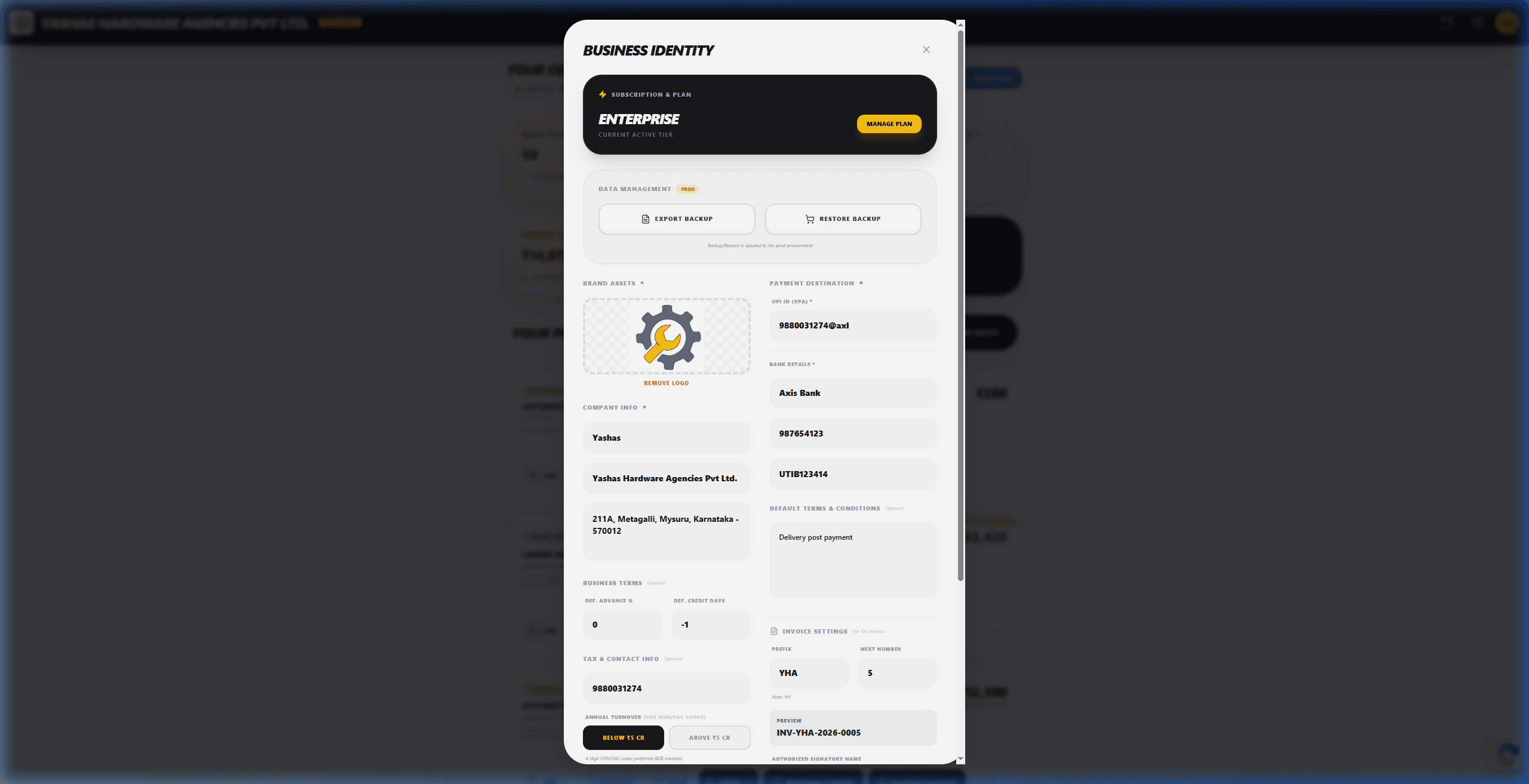
1. Brand Your Business
First impressions matter. Set up your professional identity in seconds. Upload your logo, add your brand name, and configure your payment destinations (UPI/Bank) so you can get paid directly.
- Upload high-res PNG/SVG logo
- Configure UPI ID for instant settlements
- Set default Terms & Conditions
- Add your official billing address
2. Launch Your Pipeline
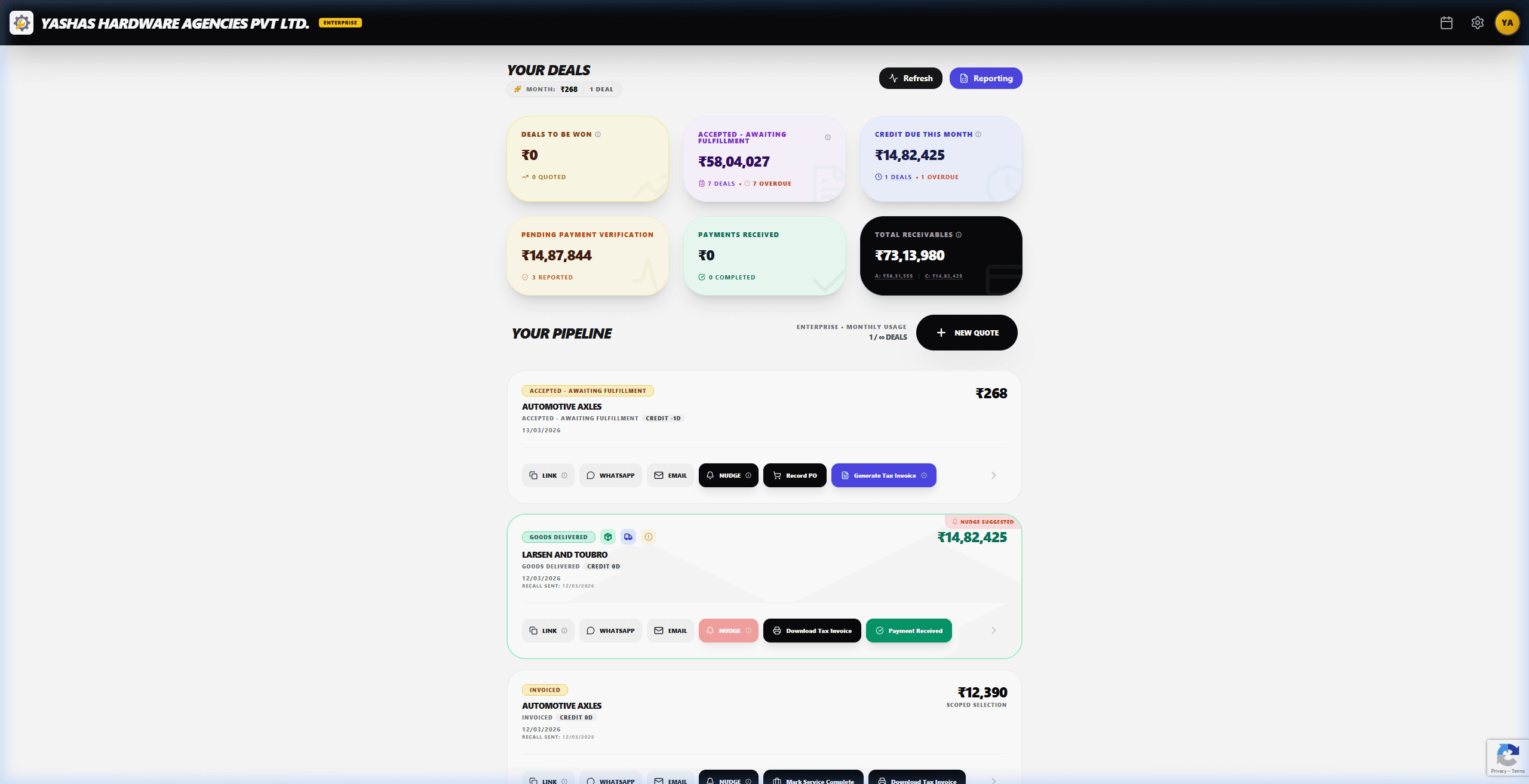
Your dashboard is your engine room. It gives you a bird's-eye view of every deal, from newly quoted to 'Awaiting Fulfillment' and 'Payments Received'.
- Track total receivables in real-time
- Identify overdue payments instantly
- Filter deals by stage or month
- Monitor deal-to-win conversion
3. Craft a Premium Quote
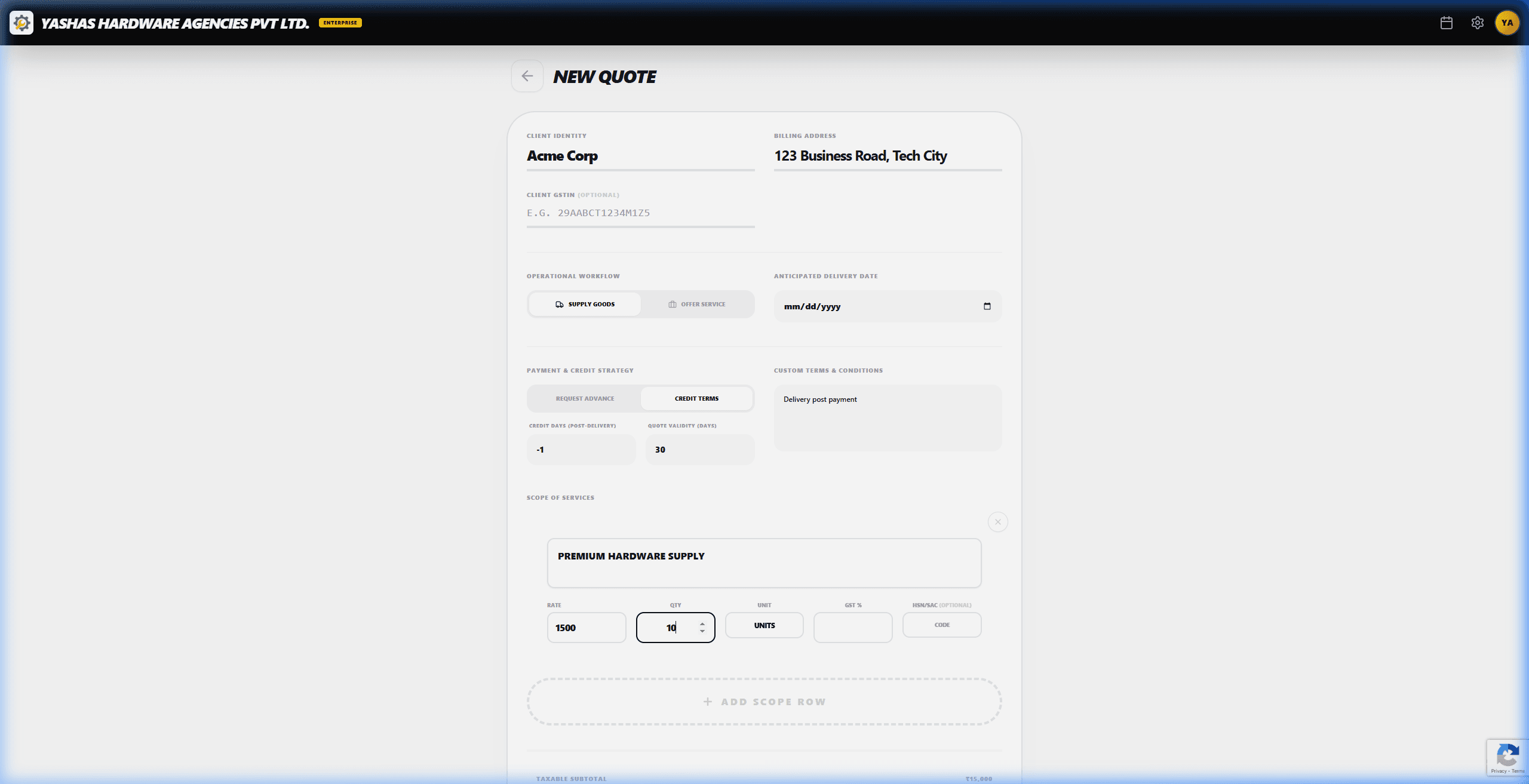
Ditch the boring PDFs. Create interactive service proposals that look stunning on any device. Add line items, GST details, and specific work scopes with ease.
- Auto-suggest client billing info
- Interactive scope-of-work rows
- Dynamic GST/Tax calculations
- Mobile-optimized editor interface
4. Share & Automate
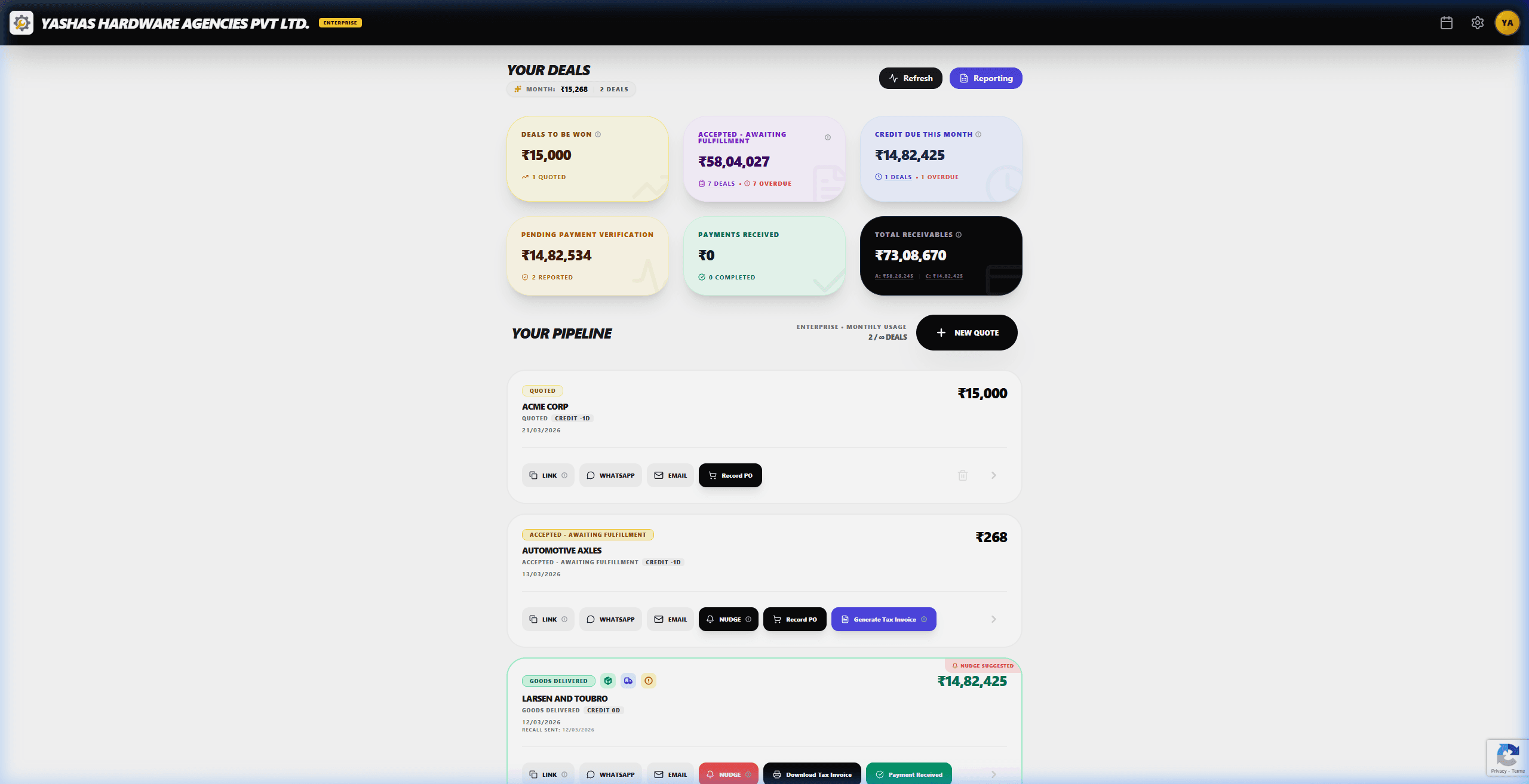
Once your quote is ready, share it via WhatsApp, Email, or a direct link. No attachments, just a sleek interactive portal for your client.
- One-tap WhatsApp sharing
- Direct secure portal link
- Professional email templates
- Real-time view notifications
5. Negotiate & Close
Your client receives a premium portal where they can curate the scope by picking and choosing the line items they want. This interactive negotiation kills the back-and-forth, letting them approve parts or the entire deal with a single tap.
- Select/Deselect items to curate scope
- Interactive negotiation interface
- One-tap approval for selected items
- Instant invoice for approved scope
- Secure payment confirmations

Ready to
Close Deals?
Your pipeline is set up and ready to drive revenue. Open your dashboard now and launch your first quote.